Every earning has a place.
Keep fares and tips together, with the income categories you use for your work.
Fares & tips+$241
Tips included$11
FOR THE PEOPLE BEHIND THE WHEEL
Keep income, expenses, time and distance in one work session. Continue logging when the connection drops, then see what the day actually paid.
How it worksNet gain
$192
80%Margin
No driver-platform password. You decide what gets recorded.
A ROUTINE THAT FITS YOUR DAY
Start with a work session. Keep the details together. Finish with a clear picture.
Choose your vehicle and start the clock when your work begins.
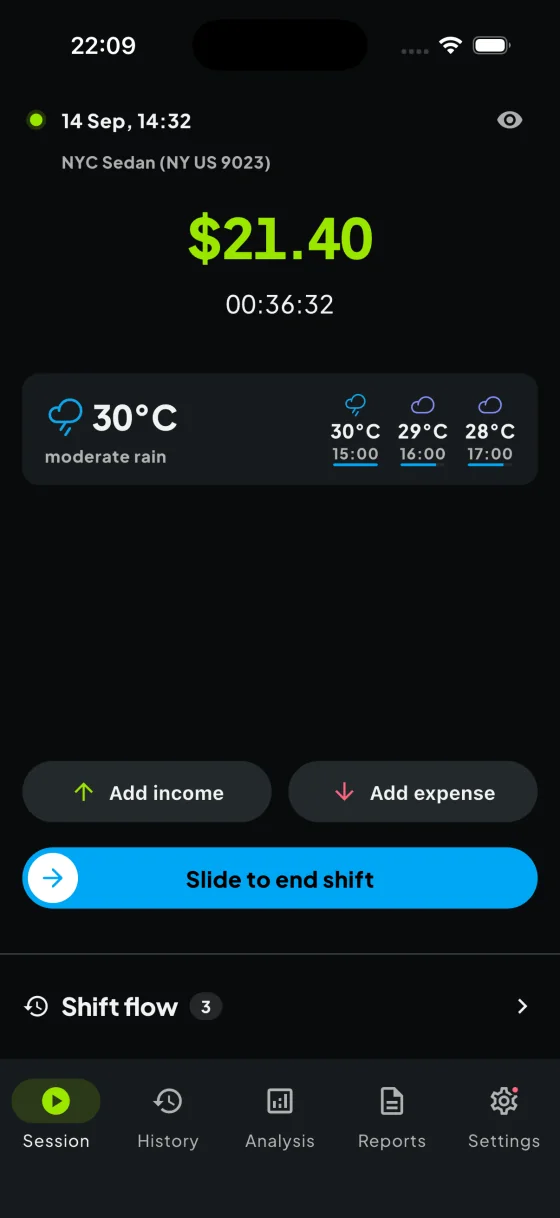
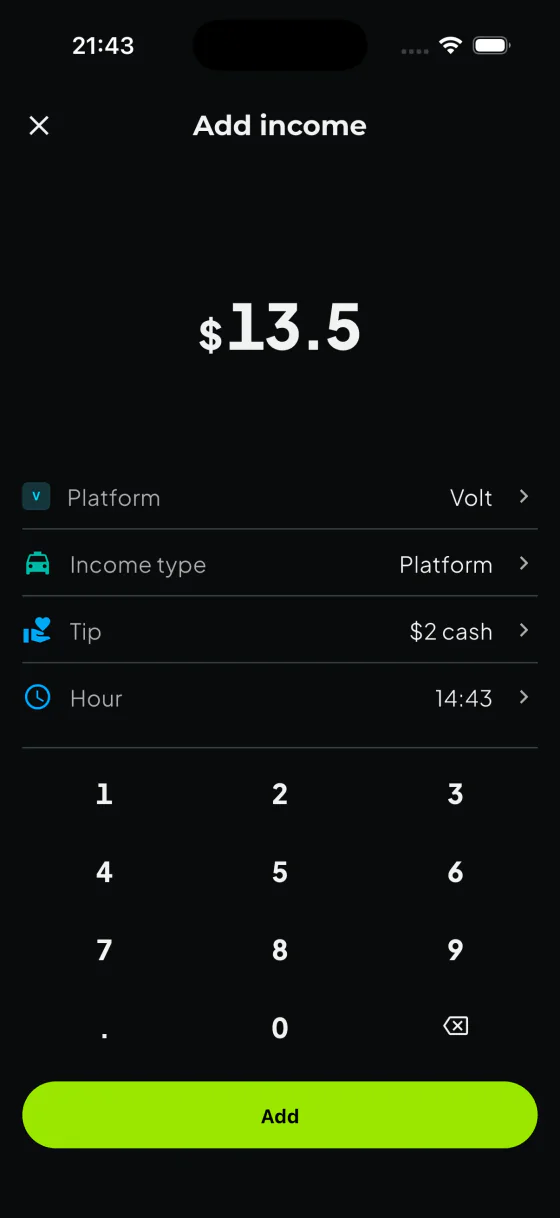
Add fares, tips and expenses when safely parked. Your records stay with the session.
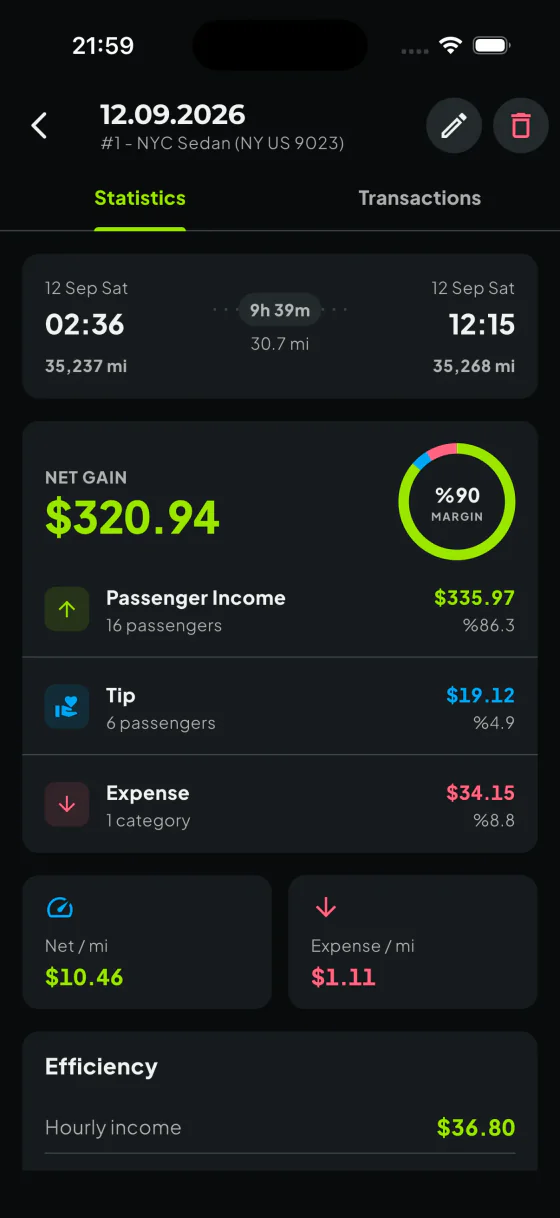
End the session and review your net earnings, time, distance and passengers.
THE NUMBERS BEHIND YOUR DAY
A full day’s takings only tell part of the story. Keep the costs next to the income that paid for them.
Keep fares and tips together, with the income categories you use for your work.
Fuel, parking, meals, maintenance. Record your expenses by category and see where the money went.
RECORDS YOU CAN RELY ON
A connection is not always reliable on the road. CarGain keeps core logging resilient and brings questionable odometer entries to your attention before they become part of a report.
Income, expenses and supported session actions are encrypted and queued on your device. When the connection returns, CarGain syncs them to your account in order.
Safe on your device
Encrypted record queue
Synced to your account
When connection returns
Creating and downloading reports and some account actions still require an internet connection.
CarGain validates readings within the same session and rejects an end reading below its start. It also checks a new value against earlier and later readings for that vehicle.
124,820 km
Previous reading · 10 Sep
174,860 km
Your entry · 12 Sep
49,890 km too high. Next reading on 12 Sep: 124,970 km.
124,970 km
Next reading · 12 Sep
Timeline conflicts are warnings, not hard blocks. You stay in control when a valid change, rollover or earlier correction explains the difference.
LOOK BEYOND ONE SESSION
Compare your weeks, months and years with Pro. See your net earnings, expense breakdowns and the patterns in your own records.
Break down your expenses before deciding what to change.
Compare earnings per hour and per kilometre. Hourly earnings use working time with recorded breaks excluded.
Use the weekday-by-hour heatmap to find patterns in your own records, including your strongest three-hour block.
Weekly net
$571
Illustrative data · includes a day with a loss
YOUR RECORDS, READY TO USE
Choose a vehicle and a date range, check what is included, then create the report you need.
XLSX · CSV
Every selected income and expense entry, row by row, with fares, tips, expenses and the balance totalled.
CSV · KM OR MILES
One row for every completed work session, with start and end odometer, distance and duration. Missing readings stay blank, never zero.
DIFFERENT ROUTES. THE SAME QUESTION.
Whatever your working day looks like, keep its income, expenses and sessions in one place. CarGain does not need access to your driver-platform account.
THE CARGAIN COMMUNITY
Drivers around the world keep track of their work with CarGain.


START WITH YOUR EVERYDAY RECORDS
Subscription prices and offers are shown in the app.
For keeping track of today.
For understanding the bigger picture.
CarGain does not ask for your driver-platform password, connect to that account or accept jobs for you. You decide what to record, then sign in to CarGain with Apple, Google or email.
Read our privacy policyNo. You start and end your work sessions and enter your income, tips, expenses and distance yourself. Add records only when it is safe to do so.
Free includes session, income, expense and break tracking, an all-time summary, the latest seven days of detailed history and one successful report per UTC calendar month. Pro adds unlimited history, week/month/year analysis, multiple vehicles, unlimited reports and regeneration.
No. Income-and-expense and mileage reports organise the records you entered. They do not guarantee tax compliance or replace professional tax advice.
Use our contact page for product questions, account help or feedback.
Contact CarGainYes. Start a break during your session and end it when you return to work. CarGain subtracts recorded breaks from work time, then uses that working time to calculate hourly earnings. You can record expenses during a break; income entry becomes available again when you end it. Break tracking is included in Free.
Core income, expense and supported session actions can be saved on your device when the connection drops and synchronized later. You can also manage breaks when the relevant session and break records are available on your device. Creating or downloading reports and some account actions require an internet connection.
CarGain supports Turkish, English, Spanish, German, French, Russian, Arabic, Hindi, Brazilian Portuguese, Italian and Ukrainian. This website is available in English and Turkish.
NEXT SESSION, KNOW YOUR NUMBERS.
Keep your work sessions, income and expenses together with CarGain.